All services

Build and ship · Deploy

Deploy with clarity. Recover with confidence.

Release from GitHub, GitLab or Bitbucket to servers you own, with approvals, safe strategies, previews and a rollback that’s always one click away.

  • Git-connected releases
  • Previews per pull request
  • Blue-green, canary and rolling deploys
  • Rollback in seconds

Deployment #1841

Storefront · production

Health verified

A release record with revision, rollout and verification in one place.

  1. Approve

    Recorded

  2. Release

    Recorded

  3. Verify

    Recorded

Revision
a71c8ef
Strategy
Blue-green
Recovery
Available

Illustrative interface with sample data.
Works with

  • GitHub
  • GitLab
  • Bitbucket
  • DigitalOcean
  • Hetzner Cloud
  • Vultr
  • Deployer API v1

Build and ship

A delivery control plane with the recovery path in view.

From repository to release

Connect a Git provider, get approval, then follow the release through to healthy traffic.

A stack per pull request

Each pull request gets its own website, environment and deploys, removed when it closes.

A visible recovery path

Previous releases stay on the server, so going back to a known revision takes seconds.

What Deploy looks like

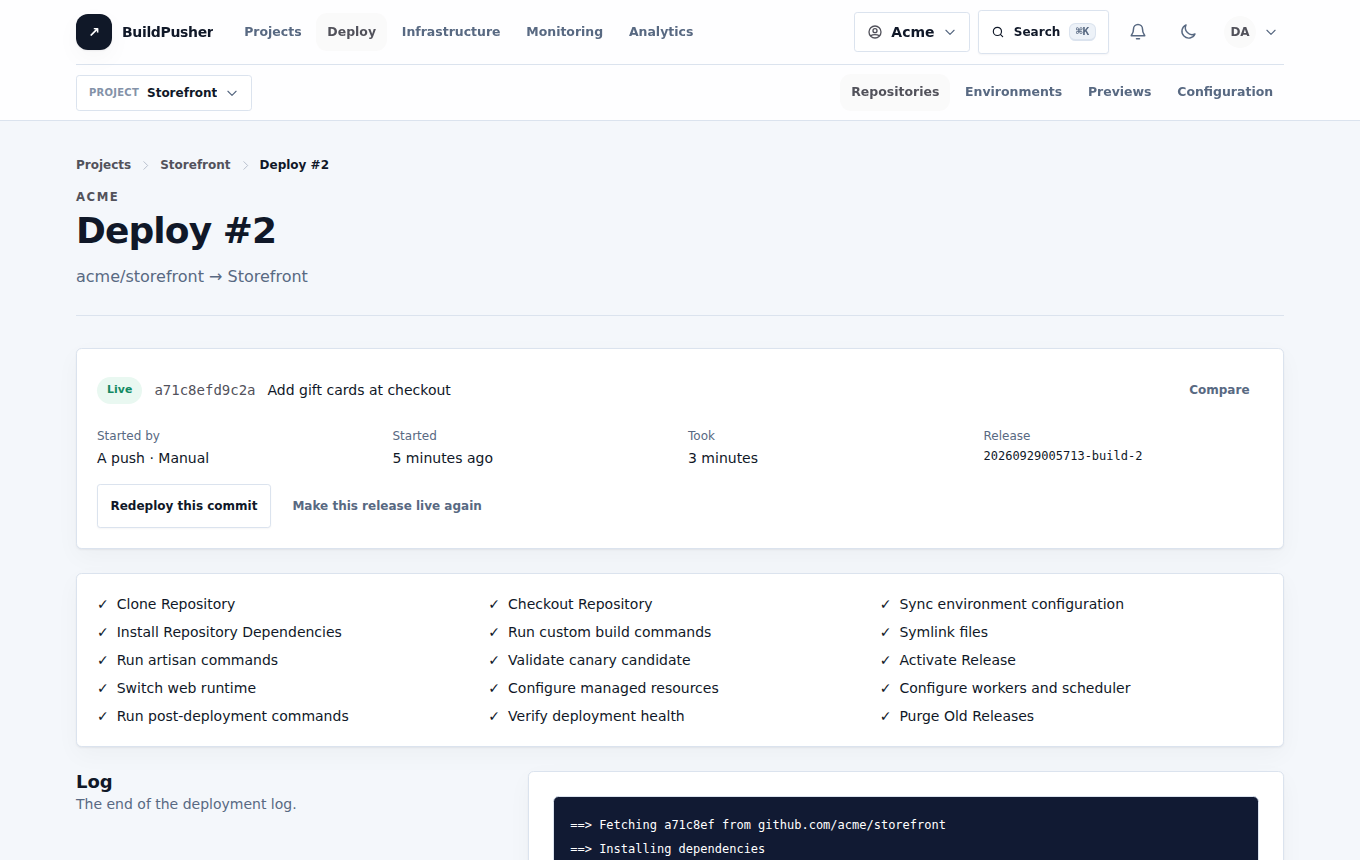
A screenshot of Deploy in BuildPusher
The real Deploy, with sample data.

Inside Deploy

What you can do

Release

Make every deployment traceable

From the first commit to a verified release, every step stays visible and recoverable.

  • Release per build

  • Safe strategies

  • Approvals and controls

  • Promotion

Previews

Review changes before they merge

Every pull request can have a running copy of the application, with secrets kept out of it.

  • A stack per pull request

  • Secrets stay safe

  • GitHub checks

Automate

Act safely when it matters

Turn repeatable operations into controlled, recorded work.

  • Scheduled deploys and tasks

  • Workers and hibernation

  • Environment recipes

  • Configuration as code

Integrate

Keep your scripts working

Everything the dashboard does is available to your pipeline.

  • Deployer API v1

  • Signed webhooks

A practical path through Deploy

Connect. Release. Recover.

Keep the path from a source change to production visible to the whole team.

  1. 01

    Launch with confidence

    Connect a repository, pick the servers, and verify the first release.

  2. 02

    Review before merging

    Open a pull request, share its preview, and promote the tested build.

  3. 03

    Recover with evidence

    See which release an incident started with, and switch back to the one before it.

Safety and accountability

Keep production actions accountable.

Approvals, locks and windows decide what may ship; the audit log records who shipped it.

  • Encrypted variables and keys
  • Approval by someone else
  • Deploy locks and windows
  • Signed webhooks
  • Retained releases
  • Exact-revision rollback

Good to know

Straight answers about Deploy.

Where does my application run?

On servers in the cloud accounts you connect (DigitalOcean, Hetzner Cloud or Vultr), or servers you import.

Can I go back to an earlier release?

Yes. Retained releases switch back in seconds, and failed live deploys can roll back on their own.

Do my old scripts keep working?

Yes. The Deployer API v1 keeps its paths, fields and status codes, including old numeric IDs.

How are secrets handled?

Environment variables, provider tokens, keys and scripts are encrypted at rest, and previews never inherit them.

Part of BuildPusher

Start with Deploy.

Every service has a free tier. Turn on the others when a project needs them, on the same account and bill.

Start free